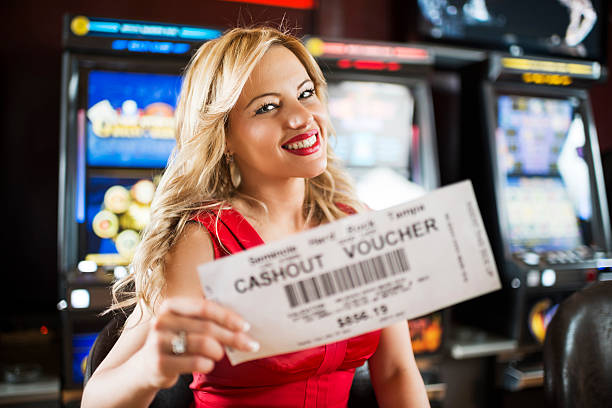



LOBBY
Casino categories
Start with slots, live casino or table games, then narrow the screen using category filters.

gps189 brings Auto Roulette Live, Live Blackjack Gold, slots and sportsbook markets into one account, with DANA and QRIS shown beside the…

Casino rooms come first, followed by live dealer tables, slot search, fishing games and sportsbook markets within the same account.
Recognisable releases from Pragmatic Play, PG Soft and Habanero sit alongside CQ9, Joker and Spadegaming within our searchable casino categories.
DANA and QRIS provide familiar wallet routes from the cashier, while OVO and GoPay each show their own transaction status.
Each durable area on our home page has a clear purpose. The casino lobby handles game discovery, the cashier records wallet activity, the account area holds verification settings, and support deals with…


A phone number, a readable account name and a password are the first details you need before entering the full home lobby.
Enter your phone number and account details, then complete the displayed phone verification step. After confirmation, we take you directly to the main lobby rather than sending you through several unrelated pages.
Use a consistent account name and confirm that your phone number is correct before using the cashier. Accurate profile details help us match wallet receipts and handle later account checks.
Your account opens slots, live casino tables and sportsbook markets from one navigation row. Auto Roulette Live, fishing rooms, football, badminton and basketball each have a clear route from home.
Create a password you do not use elsewhere and keep verification messages private. If you notice an unfamiliar session, change the password from the account area and contact our live chat.
The mobile site places login access, lobby categories and the cashier inside one compact menu, so there is no separate application to install.

Phone verification connects account access to the number you provide, while password controls let you replace credentials if something looks unfamiliar.
Searching through unrelated pages makes it harder to confirm which wallet status, game rule or contact route belongs to your account.
Return data varies by title, studio and game configuration, so we do not present one figure as if it applied across the lobby.

Check the game panel for studio-supplied return data and feature rules.
Read the table layout, betting range and settlement rules before joining.
Confirm table limits and dealer rules shown for the selected room.
Open the title instructions to see controls, scoring and round mechanics.
Each football, badminton or basketball selection carries its own market terms.
RTP percentages are informational reference values from provider documentation. Actual session outcomes vary.
Our home page is configured for Indonesia payment rails and responsive browser access. You can reach the same account, lobby and cashier from a phone, tablet or computer browser when your connection and region allow it. Someone opening the site from Semarang sees DANA, OVO, GoPay and QRIS in the local cashier path, alongside bank transfer and virtual account choices. Availability depends on local law, and regional conditions remain linked through the footer.
The strongest reasons to use our home page are visible before you enter a game: one account, named local rails, searchable casino rooms, live table context…
Your phone verification supports one profile across casino and sportsbook areas. Account settings, cashier records and help references remain connected as you move between lobby categories.
DANA, OVO, GoPay and QRIS are written out in the cashier rather than represented only by icons. Bank transfer and virtual account routes include displayed transfer details.
Use mobile search to locate a title without scrolling through every category. Filters keep slots separate from live dealer tables, fishing rooms and sportsbook markets.
Auto Roulette Live and Live Blackjack Gold sit within the live casino area, where table rules and available betting ranges can be checked before entering.
Football markets appear beside badminton and basketball categories in the sportsbook. Each selection carries its own market wording and settlement conditions for you to inspect.
Support is placed near account settings and transaction history. When access or wallet status stalls, you can bring the relevant account and receipt details directly into the contact route.
These answers cover the questions people commonly ask before using the gps189 home page: what the lobby contains, how account access works, which local rails appear, how mobile navigation behaves and where help is located. We also explain how to check withdrawal status and regional availability. For a transaction-specific answer, use the contact route shown in your help panel and include the matching receipt reference.
Begin with the account area if you need to confirm your phone number or change a password.
Check phone verification, profile details and password controls before using the cashier. Accurate account details make later transaction matching and access checks easier for both you and our support team.
Choose slots, live casino or sportsbook from the main navigation. Search can locate named titles, while category filters separate table games, fishing rooms and sports markets.
Select DANA, OVO, GoPay, QRIS, bank transfer or virtual account, then read the displayed transfer details carefully. Keep your receipt until the recorded status changes.
Open support from the account or cashier area when a status needs checking. Provide your account name, payment rail, reference and request time without sharing passwords or verification codes.